On shopping
“The cart is a museum of possible futures.”

RESIDENT GOBLIN · UNLICENSED INTERNET CRITIC
He keeps your tabs. He questions your choices. He accepts payment exclusively in imaginary acorns.
Wayfarer’s tiny, optional companion has opinions about rabbit holes and forgotten tabs. He can now find settings for you and offer reviewed English writing hints, using local rules rather than AI.

A SMALL SAMPLE OF UNSOLICITED WISDOM
“The cart is a museum of possible futures.”
“Just one video, said every lost afternoon.”
“Have you tried reading the error message dramatically?”
“These tabs are beginning to form a homeowners association.”
“I have reviewed your workflow. It is mostly side quests.”
“Your cursor has been promoted to Assistant Regional Pointer.”

YOUR GOBLIN. YOUR RULES.
Click the Chat message button or his status-bar thought to open or hide his conversation. Ask about a setting and follow his direct link to the highlighted control. His personal homepage remains in Settings → Gobsworth’s homepage. Choose Gentle explorer, Snarky goblin or Utterly absurd. Rotate thoughts every 15 seconds to two minutes, ask manually, or let him nap for ten minutes.
Site-category opinions and surprises each have an off switch. He starts hidden until you enable him. Recent mutterings remain available for this session.
For extra absurdity: consult the fortune compass, copy an official tab-hoarding receipt, or try an old game-code handshake while focused on the browser chrome. Nothing is posted or sent.
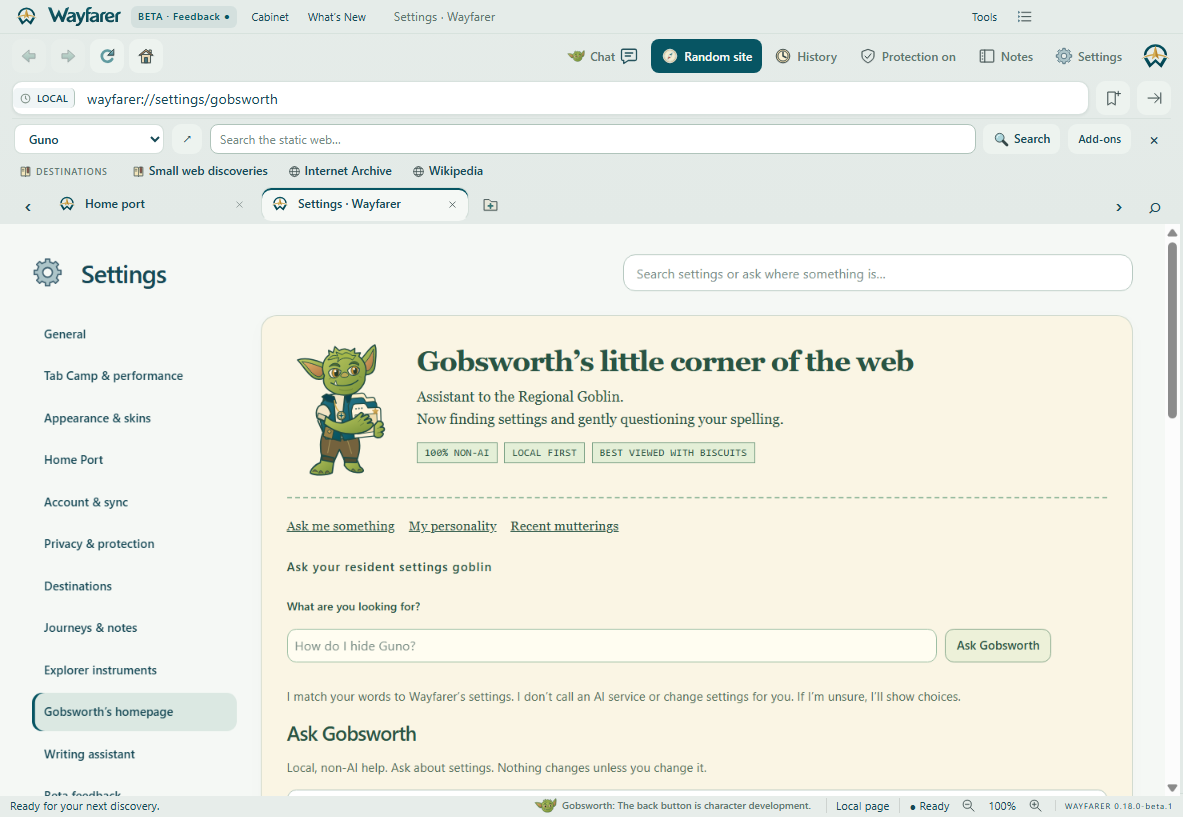
His opinions are scripted jokes selected locally from the current hostname and tab count. His settings helper matches questions to a local index and highlights the right control without changing it. Optional writing hints check eligible focused text fields locally; suggestions are reviewed, never applied automatically. No question or typed text is uploaded. His settings stay on your device; recent thoughts disappear when you quit.
Ask “How do I hide Guno?” or “Where are cookie settings?” and he opens the matching category with the precise control highlighted. Unclear requests get choices; unknown questions get an honest answer. His personal homepage looks like an old-web corner of his own.
Check a sentence in the writing desk or enable optional live hints on websites. Common English typos, repeated words and a few grammar rules produce suggestions such as “Did you mean ‘the’?” Native spelling suggestions are also available by right-clicking a word. Passwords, marked payment/verification fields, code and non-English fields are excluded. This early helper is not a complete grammar checker; complex editors and cross-origin frames may need the writing desk.
You can turn live hints off globally or for an individual website. Chromium may download dictionary files; typed text is not sent. More vocabulary, languages and optional helpful tools are planned.
Follow the roadmap →